
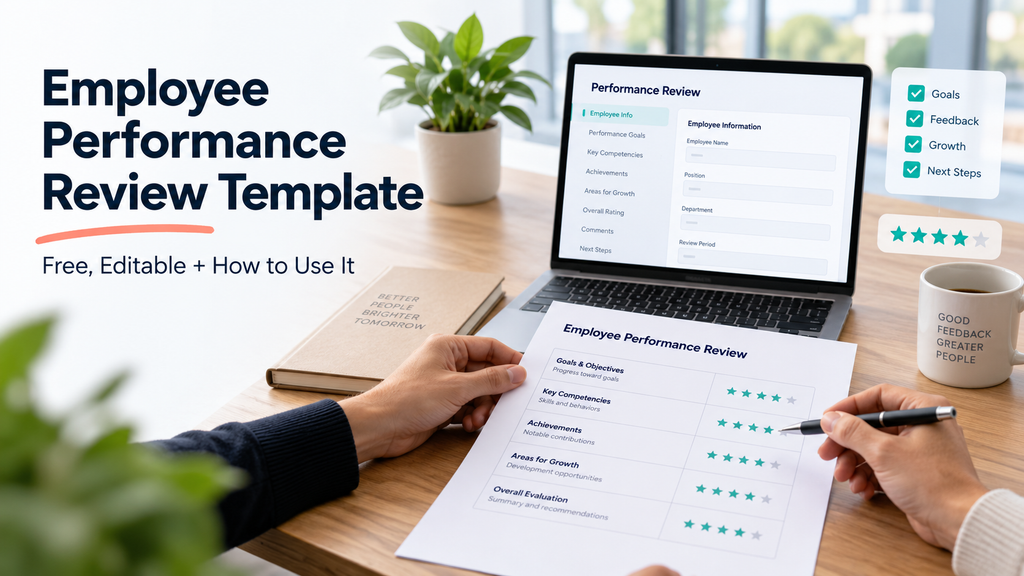
It's no surprise if you've found yourself looking at a blank document the night before a performance review. Most companies give managers a deadline without providing a clear system for assessing performance. As a result, managers often write vague, inconsistent reviews and quickly forget them after filing them.
A well-designed performance review template addresses this issue: it ensures that all reviews have the same structure, makes it easier to justify the ratings, and changes what used to be a once-a-year rush into a five-minute preparation task.
Below, you’ll find a free, fully editable template that you can copy into a document. The guide also explains how to use it effectively. Remember, a template alone cannot improve a poorly handled review conversation.
Why a Template Makes Reviews Better (Not Just Faster)
A structured template does three things a blank page can't:
- Using the same sections creates consistency across employees. Managers evaluate everyone using the same criteria instead of relying on whatever comes to mind that day.
- The template creates a reliable record. Specific written examples protect both the employee and the company when someone questions a promotion, PIP, or termination decision.
- Structured prompts reduce recency bias by helping you consider the entire review period, not just the past two weeks. Unstructured reviews often go wrong when managers focus only on recent events.
The Free Editable Template
For easier and more structured performance reviews, download this practical employee performance review template and adapt it to meet your organisation's requirements.
How to Use This Template
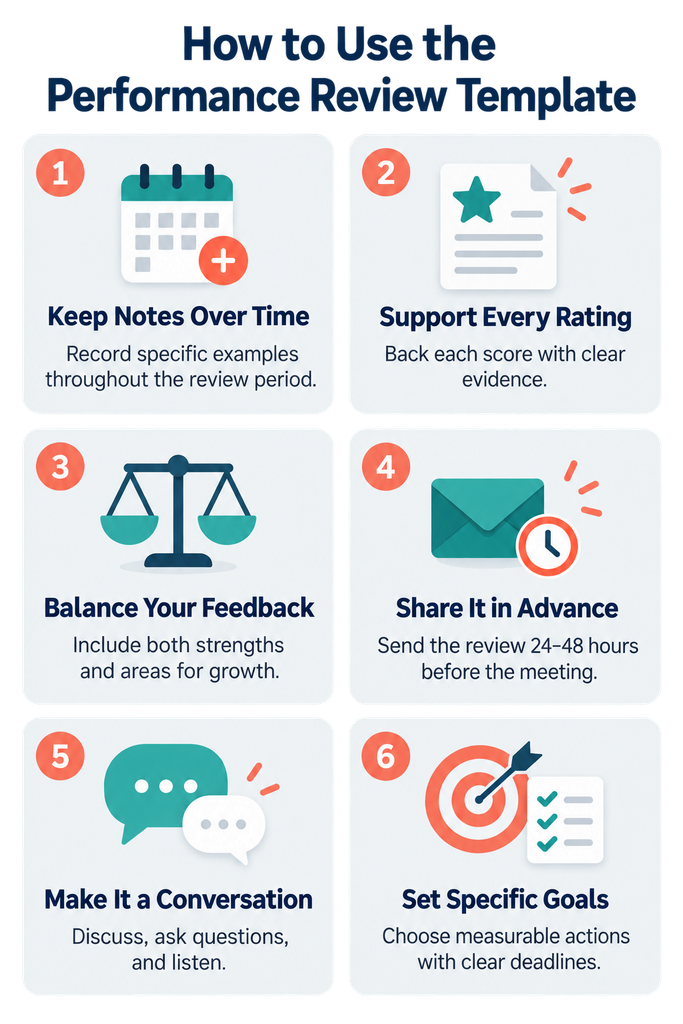
1. Complete it gradually rather than all at night. The main reason why reviews seem unfair is that they are based on memory. Throughout the quarter, keep a continuous record (even if it's just one document for each employee) and note specific examples as they occur. When it comes to carrying out the review, you'll be sorting through your notes rather than making them up.
2. Each rating should be backed up by a specific example. A "4" without any context is merely an opinion. A "4, since they redesigned the onboarding flow and reduced ramp time by two weeks" counts as evidence. When you can't think of an example to go with a rating, this is generally an indication that the rating itself should be examined again.
3. It is important to take into account both your strengths and your areas for growth. Don't suppress one in order to make the other seem less significant. Feedback that only highlights your strengths doesn't assist anyone in improving, while feedback that only points out your weaknesses sounds rather like an ambush. Therefore, include both of them, giving greater emphasis to the one that is more relevant given this person's current stage in their career.
4. Send it ahead of time. Provide the employee with the written review (or at least the section in which they assess themselves) between 24 and 48 hours before the meeting, since people don't put their best thoughts together when they're reading the feedback for the first time in real time.
5. Use the meeting as a forum for discussion rather than for giving a presentation. The document should serve as a starting point, not as a script to be read out loud. Put questions to the employee and allow them to react to their own self-evaluation compared with your evaluation; disagreements in this area are often the most valuable part of the conversation.
6. Set goals in a specific way. A goal such as "improve communication" isn't one that will enable you to measure progress in six months through a review; instead, "send a written project update every Friday" is. Reviews given as follow-up will be vague if the goals are vague.
If you need ideas for structuring the conversation, explore these performance review questions and templates to prepare relevant questions and gather more meaningful employee feedback.
The infographic below summarizes six practical steps for using the employee performance review template effectively and turning each review into a fair, evidence-based conversation.
Many companies still conduct annual reviews, but now combine them with quarterly or monthly check-ins. The formal template mentioned above is suitable for use with annual or semi-annual reviews; however, for the more frequent check-ins, a shorter one-on-one format is generally more effective than the complete template.
Yes. While the structure remains the same, with regard to remote employees, it is important to be particularly careful about recording examples over the period in question, since you can't pick up the same day-to-day context as you would if you were there in person.
A performance review evaluates all responsibilities across the entire review period. A PIP focuses on one or two areas that need improvement, sets a clear timeframe, and outlines specific consequences.
Yes. While the structure remains the same, regarding remote employees, it is important to be particularly careful when recording examples over the period in question, since you can't pick up the same day-to-day context as you would if you were there in person.
Make Reviews Easier All Year, Not Just at Review Time
The template solves the writing problem, but managers may still forget an employee’s early achievements and challenges by the sixth month. HeyRamp helps prevent this by capturing continuous feedback, 1-on-1 notes, and goal progress throughout the year. At review time, managers can summarize an existing record instead of hurriedly rebuilding one from memory.